

Customizing PPP Authorizations
On this page
Problem
You are not satisfied with the default PPP customizing and would like to change the PPP Custom Authorizations.
Prerequisites
A new BRF+ application according to Creation of Customer BRF+ Application has been created.
Environment
PPP BRF+ Customizing
Solution
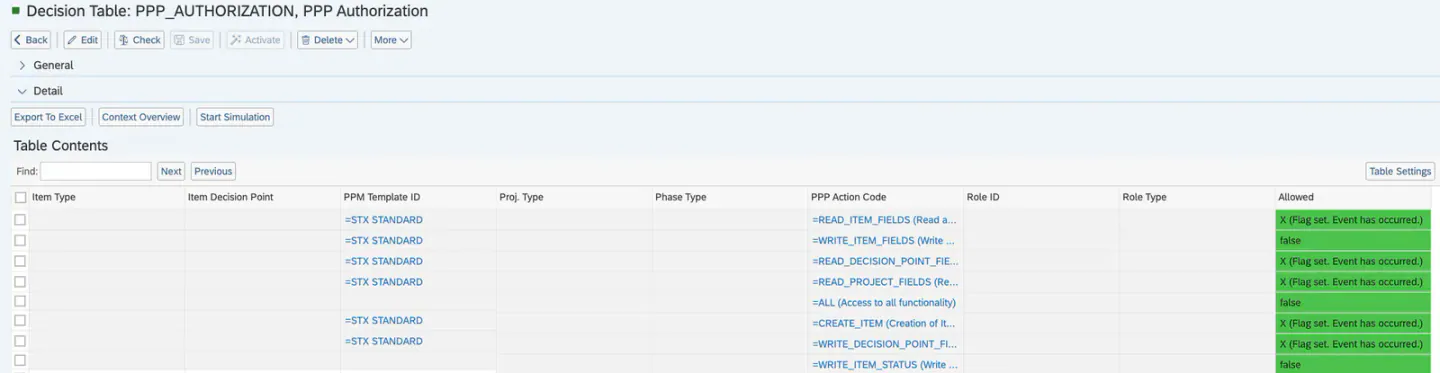
Open your BRF+ Application and navigate to the expression table “PPP Authorization” (Technical Name: PPP_AUTHORIZATION).
-
Item Type (Optional): Enter a PPM Item Type, which is then used to determine what the Authorization applies to.
-
Bucket ID (Optional): Enter a PPM Bucket ID, which is then used to determine what the Authorization applies to.
-
PPM Template ID(Optional): Enter a PPM Project Template ID, which is then used to determine what the Authorization applies to.
-
Proj. Type(Optional): Enter a PPM Project Type, which is then used to determine what the Authorization applies to.
-
Phase Type(Optional): Enter a PPM Phase Type, which is then used to determine what the Authorization applies to.
-
PPP Action Code: Choose between any of the given PPP Authorization Codes (F4 Help).
-
Role ID(Optional): Enter a PPM Role ID, which is then used to determine what the Authorization applies to.
-
Role Type(Optional): Enter a PPM Role Type, which is then used to determine what the Authorization applies to.
-
Allowed: Set to true or false. This determines, if the Authorization is given or not.
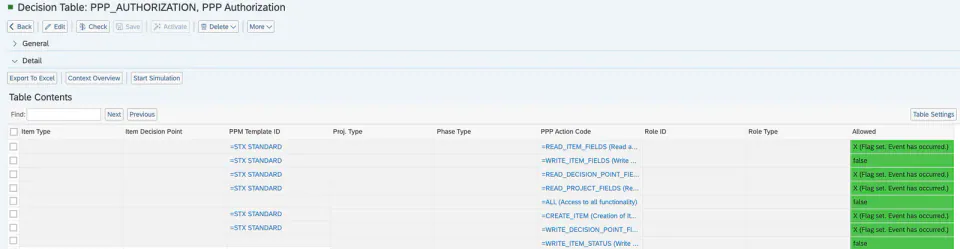
Example of different Authorizations given and Restricitons being created via Authorizations:
Keywords
brf+, add, authorization