

Validate Decisions in My Inbox
Overview
When an approver takes a decision on a Change Record work item in My Inbox (for example Approve or Reject), the decision is normally accepted as it is. In many companies there are rules that should be checked first, for example that a mandatory field is filled or that a related object is in the right status before the Change Record can be approved.
With the BAdI Validate Decision you can add your own checks that run before the work item is updated. Depending on the result of your check:
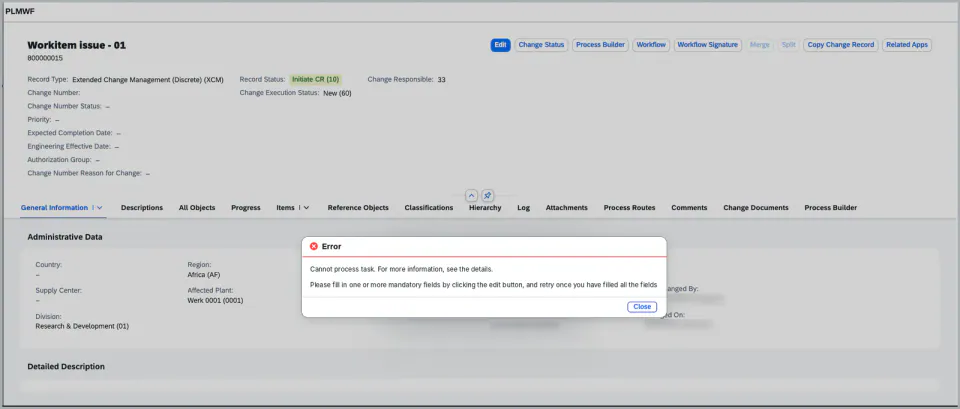
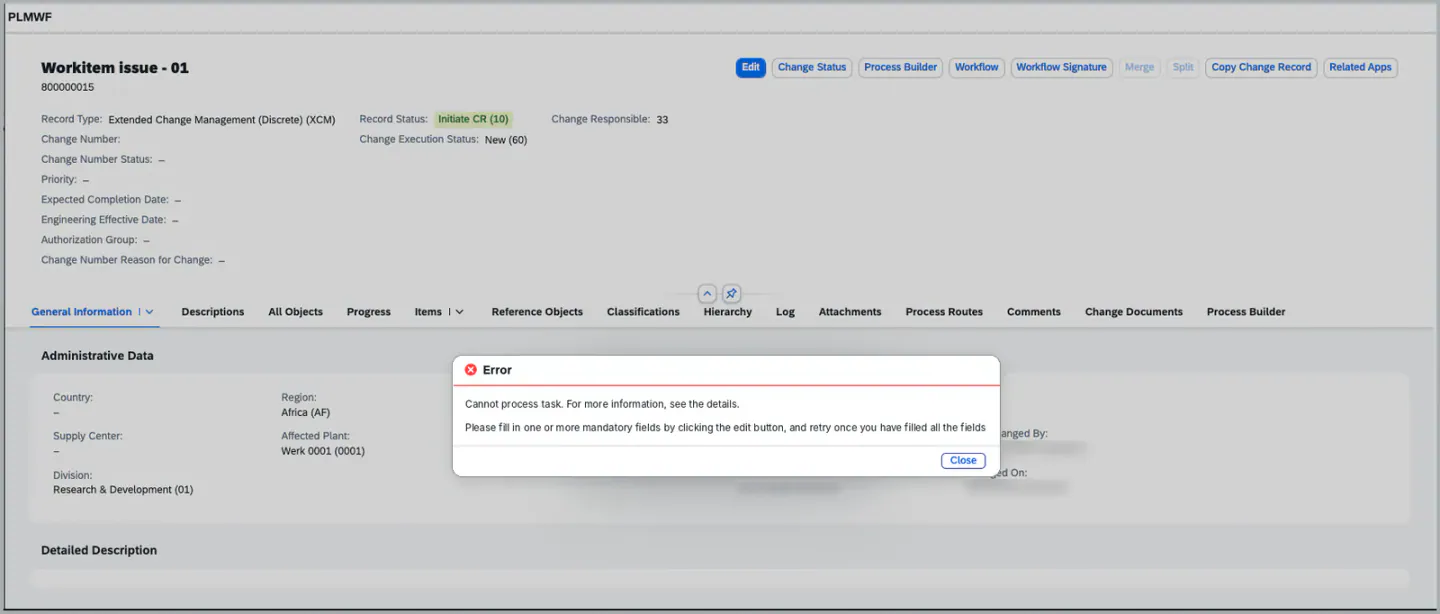
- An error message stops the decision. The message is shown to the approver and the work item stays open in My Inbox.
- A warning or information message is shown to the approver, and the decision is saved.
- No message means the decision is saved as before.
The check can be limited to a specific Change Record type and/or a specific task, so you only implement what is needed for your process.
Which BAdI do I need?
The enhancement spot /XCM/PR_ES_DECISION_EXIT contains two BAdIs for decisions taken in My Inbox. This page describes the check before the decision is accepted.
| Requirement | BAdI | Documentation |
| Check a decision before it is accepted, and stop it with an error message | /XCM/PR_EX_VALIDATE_DECISION |
This page |
| Control what happens after the decision: end parallel tasks, skip items, create follow-up tasks | /XCM/PR_EX_DECISION_EXIT |
Advanced Process Control Framework |
Steps to implement the check
1. Open transaction SE18 (or SE19) and create an implementation for the enhancement spot /XCM/PR_ES_DECISION_EXIT, BAdI definition /XCM/PR_EX_VALIDATE_DECISION.
[Screenshot to be added: enhancement spot /XCM/PR_ES_DECISION_EXIT with the BAdI /XCM/PR_EX_VALIDATE_DECISION]
2. Maintain the filter values of your implementation:
- CHANGE_RECORD_TYPE – the Change Record type the check applies to.
- TASK_ID – the Task ID (as maintained in the BRF+ decision table) the check applies to.
- If you leave a filter open, the check runs for all Change Record types or all tasks.
3. Implement the method VALIDATE_DECISION in your implementing class. The method receives the details of the work item and the decision taken:
- WORKITEM_ID – the work item in My Inbox
- PROCESS_ROUTE_ID and POSITION – the process route step of the task
- CHANGE_RECORD_TYPE and CHANGERECORDUUID – the Change Record
- TASK_ID – the XCM task
- DECISION – the decision the approver selected
- APPROVER – the user who takes the decision
Add your messages to the table MESSAGES. Use message type E to stop the decision, and W or I to only inform the approver.
4. Activate the implementation.
5. Test the check: open a Change Record work item in My Inbox and take the decision. If your check returns an error, the message is shown and the work item stays open.
Note:
- The BAdI can have several active implementations. All of them are called, and the messages of all checks are shown together.
- The check is called from XCM’s implementation
/XCM/PR_EI_CHECK_TASK_DECISIONof the SAP BAdI/IWWRK/ES_WF_WI_BEFORE_UPD_IB. The SAP standard implementation/PLMI/IM_EX_CR_WF_HANDLERstays inactive. - The check that only an MDG-M administrator can complete the MDG-M task is now delivered as an implementation of this BAdI (
/XCM/PR_EI_MDG_M_ADMIN_CHECK). If you use the MDG-M integration, no action is needed. For details, see PLM CR Integration with SAP MDG-M. - Do not change the Change Record inside the check. The check should only read data and return messages. To change what happens after the decision, use the BAdI
/XCM/PR_EX_DECISION_EXITdescribed in Advanced Process Control Framework .
XCM BAdI Usage
Enhancement Spot /XCM/PR_ES_DECISION_EXIT
BAdI /XCM/PR_EX_VALIDATE_DECISION
Interface /XCM/PR_IF_VALIDATE_DECISION
Filters CHANGE_RECORD_TYPE, TASK_ID
Description: Called before a decision taken in My Inbox updates the work item of an XCM task. Return messages in MESSAGES; an error message rejects the decision and keeps the work item open.
Signature for reference
METHODS validate_decision
  IMPORTING
    !workitem_id        TYPE sww_wiid
    !process_route_id   TYPE srmwfpthid
    !position           TYPE srmwfposid
    !change_record_type TYPE /iam/issue_type
    !task_id            TYPE /xcm/pr_task_id
    !decision           TYPE /plmb/pr_decision OPTIONAL
    !approver           TYPE syuname OPTIONAL
    !changerecorduuid   TYPE /bobf/conf_key
  CHANGING
    !messages           TYPE bapirettab .
See Also
Advanced Process Control Framework
Process Control - Task Configuration
Exception Handling in Process Control
PLM CR Integration with SAP MDG-M
Keywords
My Inbox, Decision, Validation, Approve, Reject, Work Item, BAdI, /XCM/PR_EX_VALIDATE_DECISION, /XCM/PR_EX_DECISION_EXIT
Prerequisites
- Available from XCM release 2026.5.0.
- The tasks must be configured as XCM tasks in Process Control. For details, see Process Control - Task Configuration.