

Agent Determination Dynamically
Overview
Agents for the process route tasks are determined based on the Teams and Responsibility Hierarchy configured in the system. The logic follows a top-down search approach.
In addition to the teams, XCM offers two own agent types for agents that are not maintained in Teams and Responsibilities: ZA – Extended Agent Rule and CR – Change Record User Field. Both are described below.
Agent Determination Algorithm
The following logic is part of the standard functionality and is utilized within XCM to identify and retrieve team members based on specified team types and responsibility attributes:
- XCM eXtends the standard agent determination logic by retrieving all teams within a hierarchy according to their defined team types and responsibility attributes.
- This approach ensures that, for each root team, only appropriate team members from relevant leaf teams are considered—enabling accurate responsibility mapping across various change record types.
Agent Types in XCM
The agent type of a task is maintained in the BRF+ decision table of the process control (column Agent Type) or when a task is added in the Process Builder. The following agent types are available:
- TF – Team Function: agents are taken from the team function in Teams and Responsibilities.
- TH – Team Header: agents are taken from the team in Teams and Responsibilities.
- US – SAP User: the user maintained as agent.
- BP – Business Partner: the business partner maintained as agent.
- CX – Change Record Creator and CZ – Change Responsible: the creator or the change responsible of the Change Record.
- CR – Change Record User Field: the user in a field of the Change Record header (see below).
- ZA – Extended Agent Rule: the agents are determined by your own logic (see below).
Agent type ZA – Extended Agent Rule
Use agent type ZA when the agents of a task are not maintained in Teams and Responsibilities, for example when they are kept in your own organizational table or in a connected system. You define an agent rule and implement the logic that returns the users for this rule.
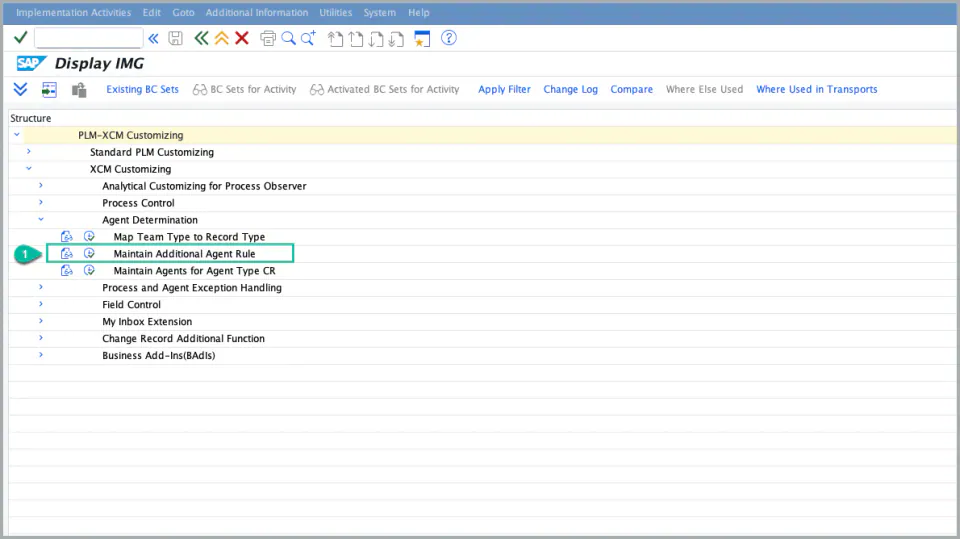
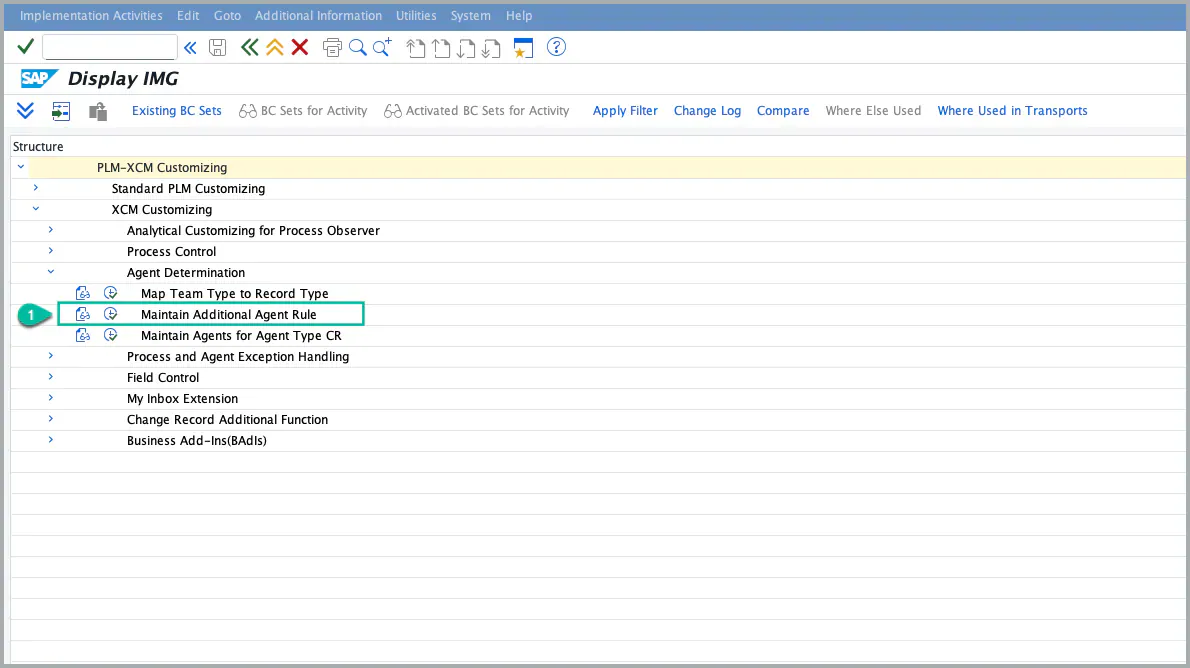
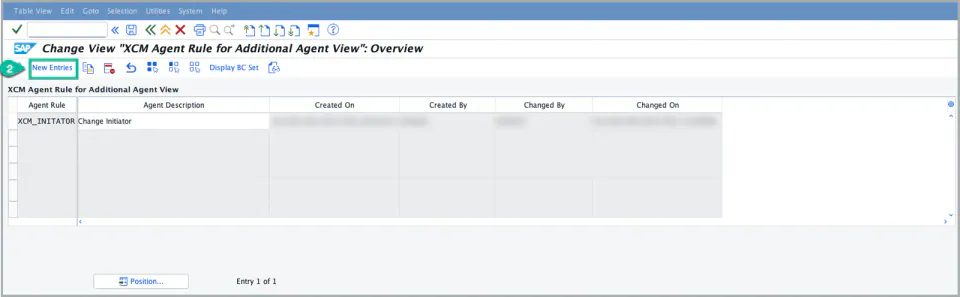
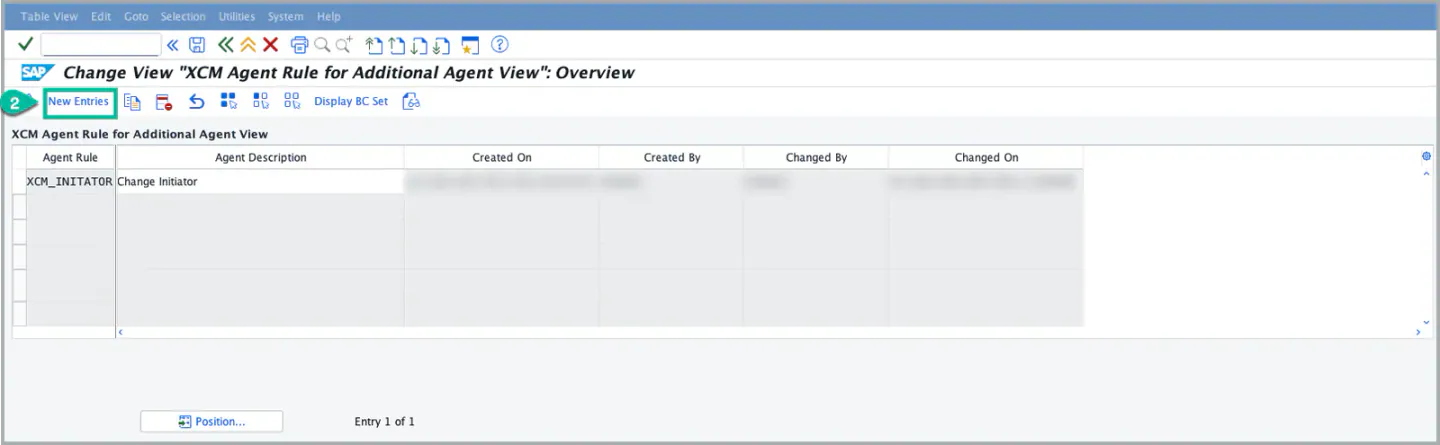
1. Maintain the agent rule in Customizing:
/XCM/CUS → XCM Customizing → Agent Determination → Maintain Additional Agent Rule
- Enter an Agent Rule (for example
Z_QUALITY_MANAGER) and a Description. - The rule is then offered in the agent value help for agent type ZA.
2. Implement the BAdI that returns the users for the rule:
/XCM/CUS → XCM Customizing → Business Add-Ins(BAdIs) → BAdI: Determine Additional Agent for Agent Type ZA
- Create an implementation of the BAdI
/XCM/PR_EX_ADD_AGENTwith the filter AGENT_TYPE = ZA. - In the method GET_AGENTS_BY_TYPE, read the agent rule from the parameter AGENT and return the users in USERS_LIST. The details are described in the section XCM BAdI Usage below.
3. Use the agent rule in the task:
- In the BRF+ decision table of the process control, set the Agent Type to
ZAand the Agent to your agent rule. - The task can also be added with agent type ZA in the Process Builder.


Note: When the process route is created, XCM calls your implementation and the returned users become the agents of the task. If no user is returned, the task is handled like any other task without an agent.
Agent type CR – Change Record User Field
Use agent type CR when the agent is a user stored in a field of the Change Record header or the header extension, for example the creator (CREATEDBYUSER), the change responsible (PARTNER) or your own custom field holding a user. The Agent of the task is the field name, and the user in this field of the current Change Record receives the work item.
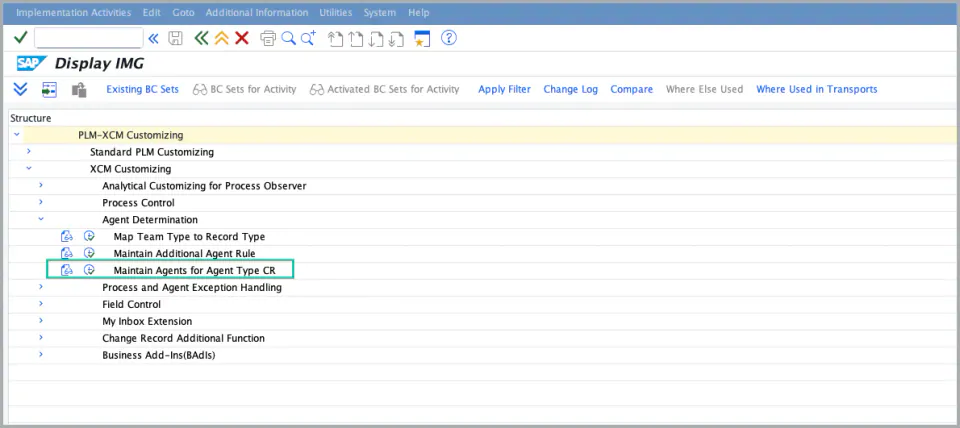
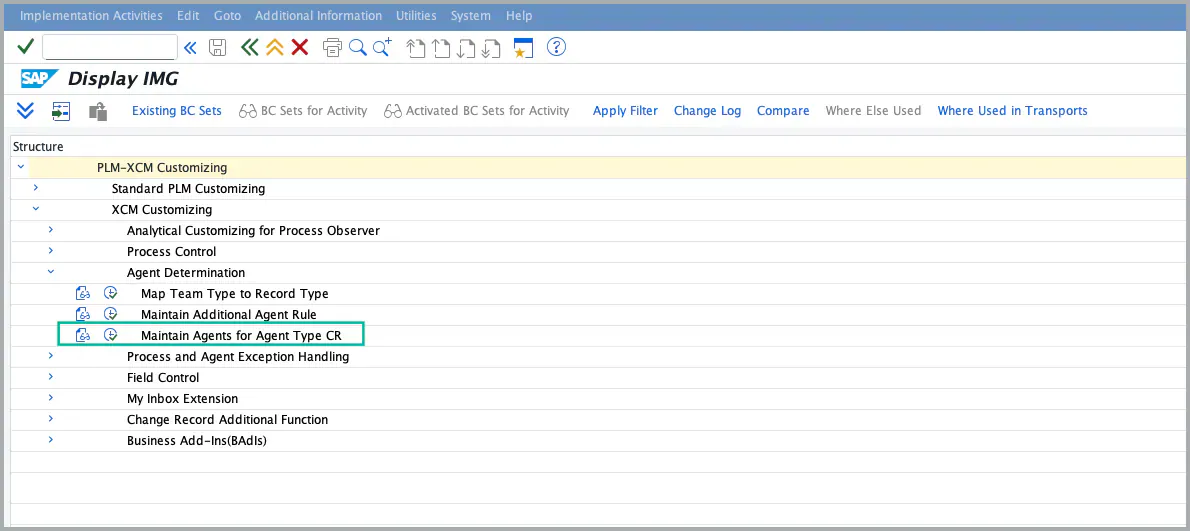
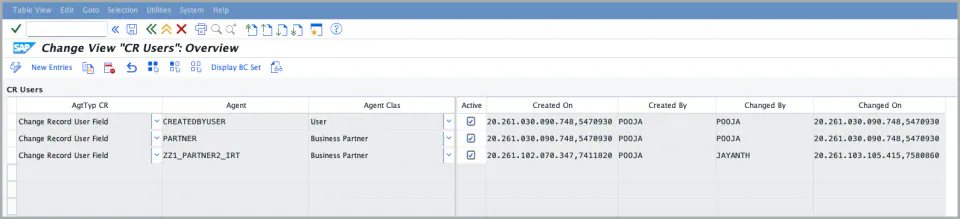
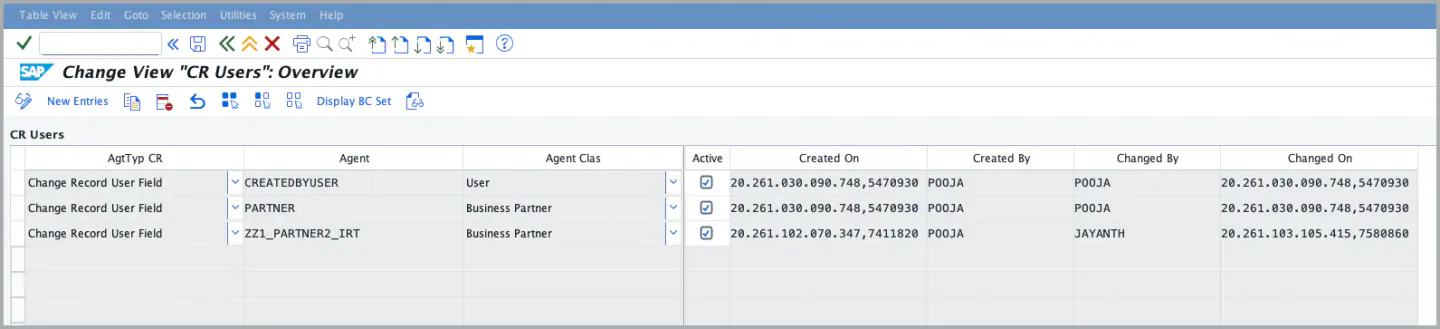
1. Maintain the user fields in Customizing (from XCM 2026.5.0):
Maintenance view /XCM/CR_V_USERS in /XCM/CUS
- Agent Type –
CR - Agent – the field name of the Change Record header or header extension, for example
CREATEDBYUSER,PARTNERorZZ1_PARTNER2_IRT - Agent Classification –
USwhen the field holds an SAP user,BPwhen it holds a Business Partner - Active – only active entries are used
The entries CREATEDBYUSER and PARTNER are delivered with the BC set /XCM/PR_CUSTOMIZATIONS.
2. Use the field in the task:
- In the BRF+ decision table of the process control, set the Agent Type to
CRand the Agent to the field name. - The task can also be added with agent type CR in the Process Builder; the value help shows the active entries.


Note:
- If the field is not maintained or not active in
/XCM/CR_V_USERS, the task is not created and the message “Agent <field> is not maintained or not active in the CR agent customizing” is written to the workflow log. In the process simulation and in the Process Builder the same message is shown. - Before XCM 2026.5.0, only
CREATEDBYUSERandPARTNERwere available, and other fields had to be added through an extension of the CDS view/XCM/CR_CHANGERECORD_USERS. This extension is no longer needed. - For the creator and the change responsible you can also use the agent types
CXandCZ, which do not need any customizing.
XCM BAdI Usage
Enhancement Spot /XCM/PR_ES_AGENT_DETERMINE
BAdI /XCM/PR_EX_ADD_AGENT
Interface /XCM/PR_IF_ADD_AGENT
Filter AGENT_TYPE (use ZA)
Description: Where the agents for a process route task cannot be derived from the Teams and Responsibility Hierarchy, the agent list can be determined by an own implementation. This is intended for agents that are held outside Teams and Responsibilities, for example in an own organizational table or in a connected system.
The BAdI is filtered on the agent type and is called only when the agent type of the task is maintained as Specific Agent Type ZA (Extended Agent Rule). For all other agent types the standard determination applies.
The method GET_AGENTS_BY_TYPE receives the agent type and the agent maintained in the task configuration (for ZA this is the agent rule from Maintain Additional Agent Rule), together with the object ID and object type of the change record, and returns the users in USERS_LIST.
The users returned by the implementation are used as the agents of the task. They replace the agents that XCM would otherwise determine, so the implementation is responsible for returning the complete list.
Kindly ensure that the agent type of the task is maintained as Specific Agent Type (ZA) in the task configuration, otherwise the implementation is not called.
Signature for reference
class-methods GET_AGENTS_BY_TYPE
  importing
    !AGENT_TYPE  type /XCM/PR_AGENT_TYPE
    !AGENT       type /XCM/PR_AGENT
    !OBJECT_ID   type /PLMB/GOS_INTERNAL_KEY
    !OBJECT_TYPE type /PLMB/GOS_OBJECT_TYPE
  exporting
    !USERS_LIST  type /PLMB/T_TD_USRID .
See Also
IMG Customization
References
Set Up T&R for Change Record for the steps to maintain the required configuration and create teams
BRF Customization
Keywords
Business Parameter, Hierarchy, Sub team, Super team, Agent Type, ZA, Extended Agent Rule, Additional Agent Rule, CR, Change Record User Field, CX, CZ