

BRF Customization
Overview
- On this page, you will learn how to configure the BRF+ decision table to model your process steps based on the Change Record context. You can leverage BRF+ conditions to evaluate CR header attribute values using operators like is equal to, is not equal to, contains, etc.
- This allows you to assign the same Task ID across different CR contexts, reducing the number of entries in the decision table and making BRF+ maintenance simpler and more efficient.
Configuration steps
-
Open the BRF+ application and find the Decision Table _
DT_<Change Record Type>PR_GET_TASKS_<ProcessRoute_Version>_ -
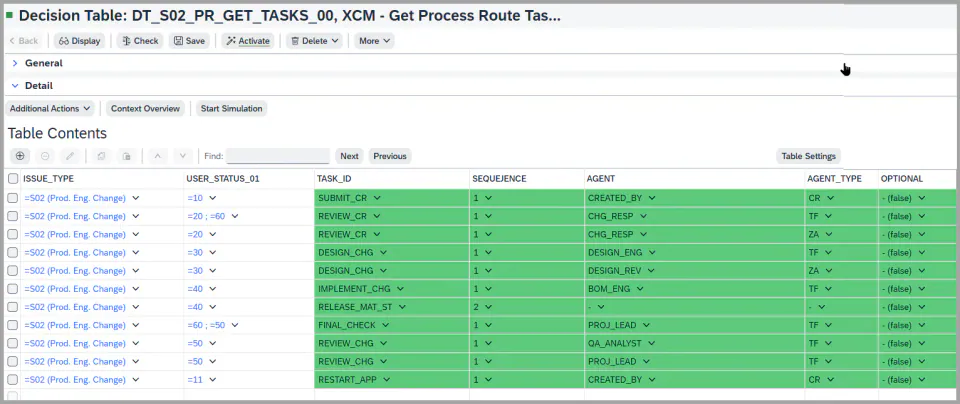
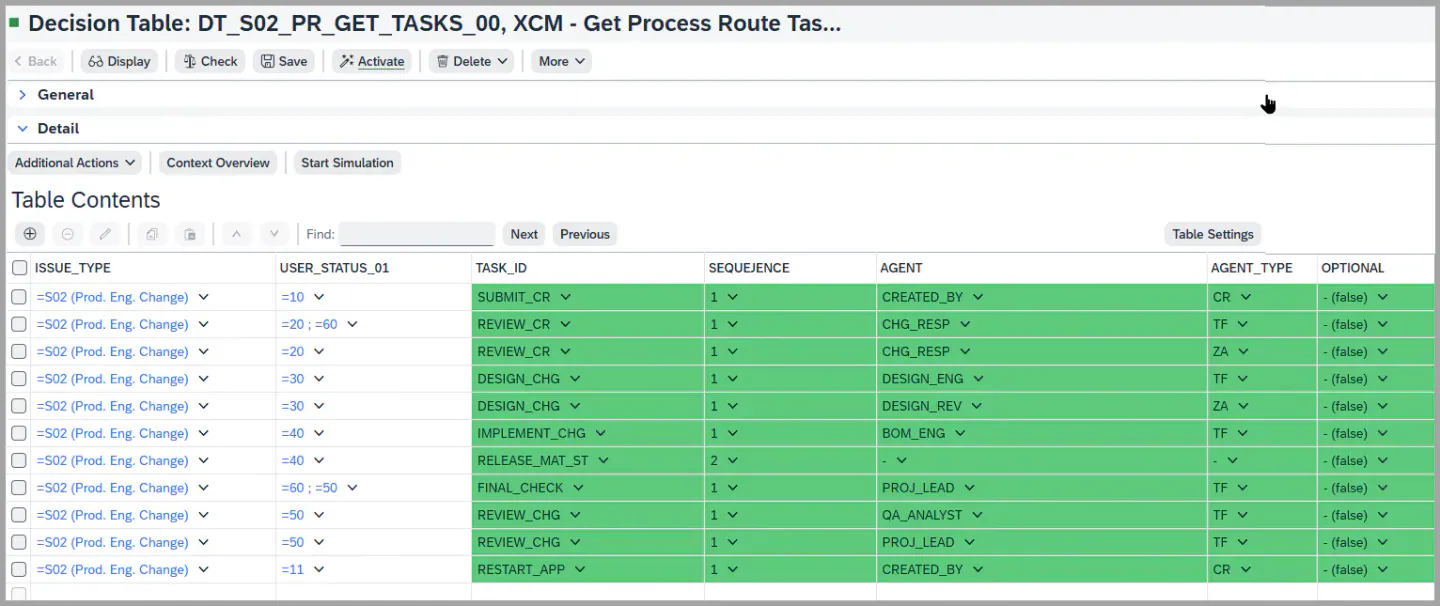
In this scenario, the conditions include ISSUE_TYPE and USER_STATUS_01.
-
Each User Status can have tasks that are either sequential or parallel.
-
Sequential tasks must be completed in a specific order, while parallel tasks can be executed simultaneously. This is controlled through the Sequence column.
-
An Agent is the user who receives the work item in their inbox and takes the necessary action.
-
Agent determination is handled through Responsibility Team Management, refer to the task Agent Determination Dynamically more details, and the Agent Type defines the role or method used to identify the agent.
-
Example:
- In the first row, when the Change Record Type is
S02and the User Status is10, this condition is met. The Task IDSUBMIT_CRis triggered with Sequence 1, and the work item is sent to the inbox of the CREATED_BY user. - Similarly, you can maintain the same task for different statuses in a single entry.
- In the first row, when the Change Record Type is
8. Individual Approval (available from XCM 2026.5.0): use the result column Individual Approval when every agent of a task must approve in their own name.
- If the flag is set, the task is split into one parallel task per agent when the process route is loaded. Team functions and team headers are resolved into individual users through Teams & Responsibility Management, so each agent receives their own work item.
- The split is applied on top of the split by business parameter. Example: a task for 2 plants with 2 agents each results in 4 parallel tasks.
- If the flag is not set, the task behaves as before: one work item for all agents, and the decision of one agent completes the task.
- The flag can be overruled for a single Change Record in the Process Builder. For details, see Process Builder.
[Screenshot to be added: task decision table with the Individual Approval result column]
See Also
IMG Customization
Process Control - Task Configuration
Process Builder
Keywords
Process Route, Process Control, Task IDs, Agent Determination, BRF+, Individual Approval, Task Multiplication
Prerequisites
- Make sure to configure the Task ID in the Customizing Activity mentioned in the task: IMG Customization
- Before setting up the BRF+ decision tables, the generation of the BRF+ application is the first required step. For detailed instructions, please refer to: BRF+ Generation - Process Control
- Additionally, ensure that you have defined the necessary functions in Customizing under IMG Path: sophisTex Add-On Solution Customizing (Tcode: /STX/CUS) → sophisTex Functional Solutions→ eXtended Change Management → XCM Customizing → Process Control → Define Process Version
- Make sure to activate the field once configured.
- BRF+ applications generated with
/XCM/BRF_GENERATEfrom release 2026.5.0 contain the Individual Approval column automatically. For an application generated earlier, refresh the DDIC binding of/XCM/PR_TASK_RESULT_LISTand add the Individual Approval column to the decision table manually, then activate it.